> ## Documentation Index
> Fetch the complete documentation index at: https://docs.tilt.io/llms.txt
> Use this file to discover all available pages before exploring further.
# Review your advisor book
> Find clients and accounts that need setup, holdings, optimization, or proposal attention.
Use a book review to find exceptions across the advisor organization before opening individual accounts. The review reads current account and proposal state; it does not change models or run optimizations.
## 1. Ask for a book summary
Ask Tilt Agent: **"Review my advisor book. Show accounts missing a model, with stale or missing holdings, or without a current usable proposal. Put the clients and accounts needing attention first."**
Check the organization and the coverage in the reply. A book summary can combine account setup, model assignment, holdings freshness, proposal coverage, and optimization failures. Ask for a named client or account when a summary needs more detail.
## 2. Review the proposal queue
Ask: **"Show this week's optimization and proposal queue: completed proposals ready for review, work still running, failures, and accounts with no usable proposal."**
Check the date window for activity counts. A proposal created before that window can still be the current result for an account. Status, failure, and missing-proposal claims require account-level inspection; a count alone cannot identify which account needs action.
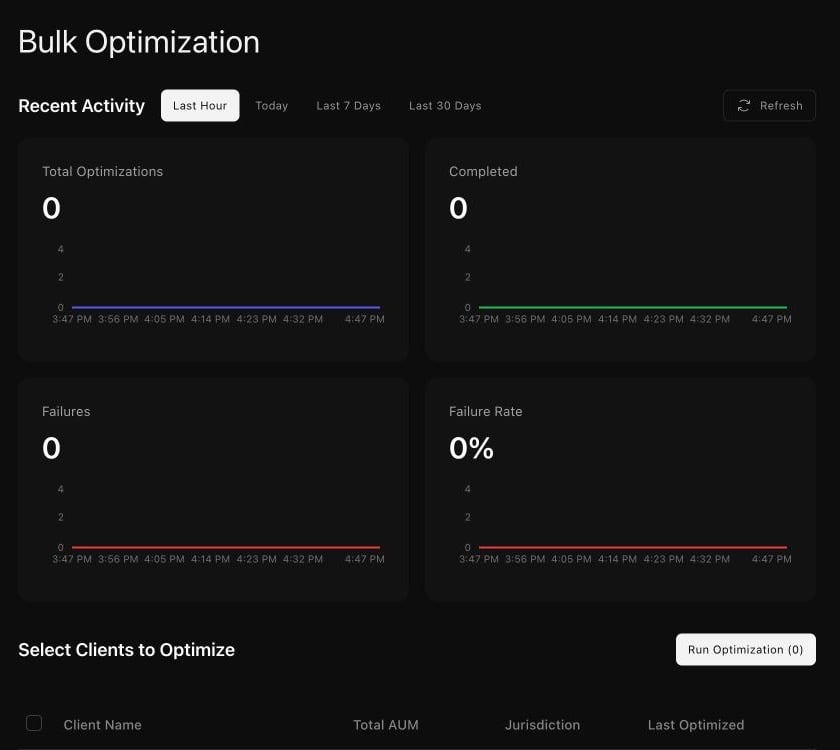
 In the Tilt view, **Bulk Optimization** shows recent optimization activity and the client selection area. Use its date filters to check the activity window before interpreting the counts.
 ## 3. Open the exception that matters
For a missing model, [tailor the account](/advisor/tailor-account). For an account ready to optimize, [review a rebalance](/advisor/review-rebalance). For a completed proposal, ask for its exact account and proposal before [reading reports](/advisor/reports-and-backtests). A queue review alone does not rerun failed work or approve trades.
## 3. Open the exception that matters
For a missing model, [tailor the account](/advisor/tailor-account). For an account ready to optimize, [review a rebalance](/advisor/review-rebalance). For a completed proposal, ask for its exact account and proposal before [reading reports](/advisor/reports-and-backtests). A queue review alone does not rerun failed work or approve trades.