

1. Describe the workflow
Start a chat and ask Tilt Agent to create and save the skill. Name the situations that should activate it, the result you expect, and any actions that require confirmation. For an advisor review format, send: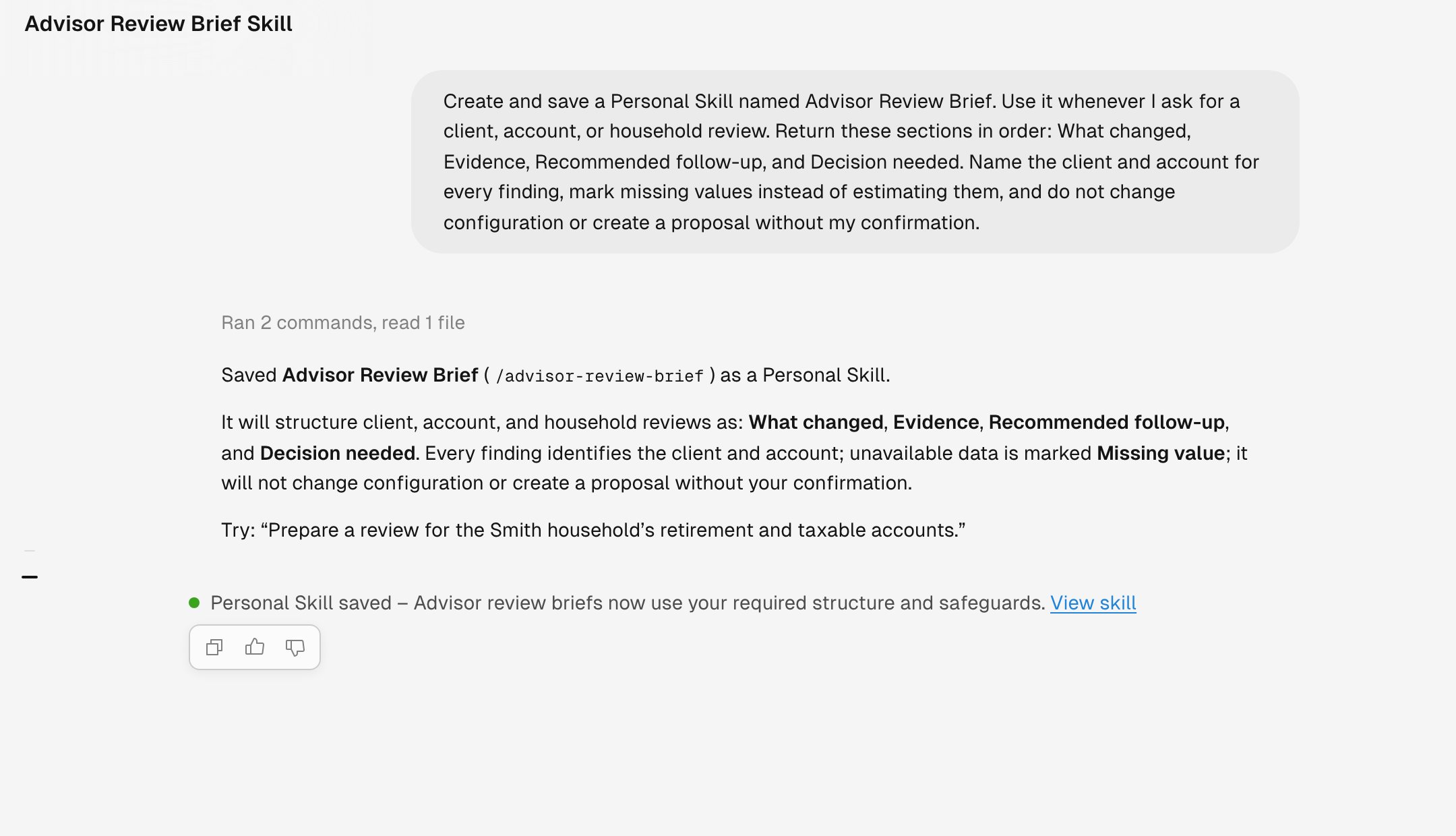
Tilt Agent creates and saves the skill in the conversation.
2. Review the saved skill
Tilt Agent confirms the display name and its slash command after the save succeeds. Select View skill to inspect the instructions and enable or disable the skill. You can invoke this example directly with/advisor-review-brief. Tilt Agent can also choose an enabled skill when your request matches its description.
3. Test and revise it
Try the skill with a client or test household. For example:Import an external skill
Bring a skill folder from another source into Personal Skills.