This guide creates a read-only Market Session Checklist. Each run checks the time against the regular US-equities weekday session. The saved checklist stays in Library.

1. Ask for a reusable view

Tell Tilt Agent to create and save a Scripted Artifact. Describe the changing data, the sections you need, and what the artifact must not do.
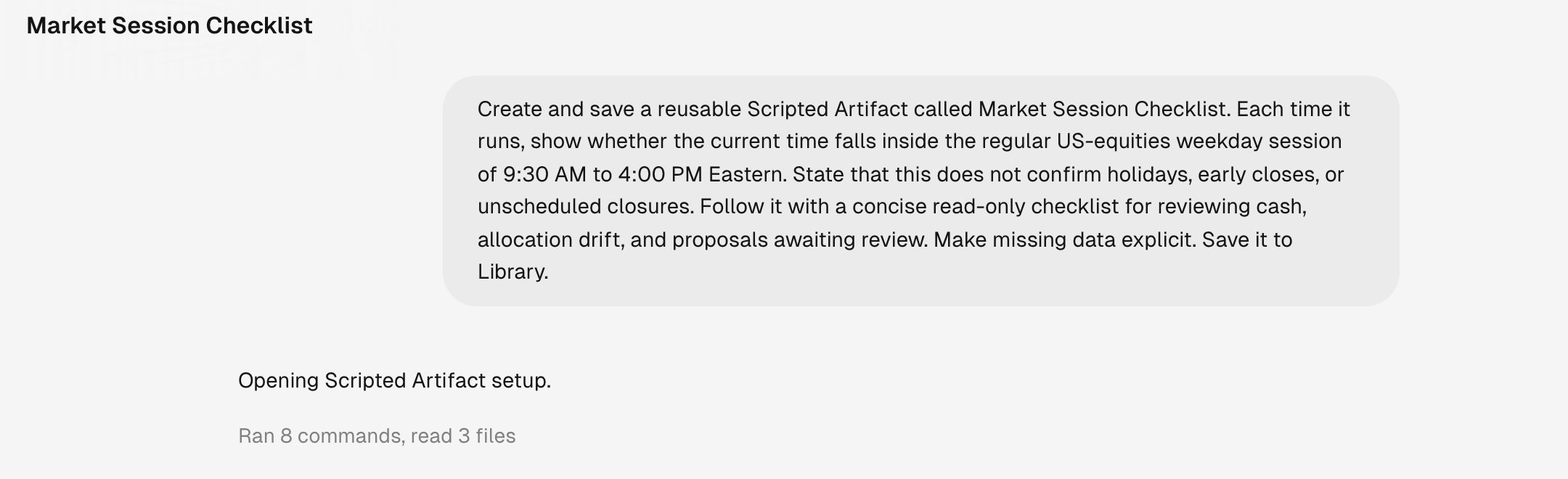
A chat request asking Tilt Agent to create and save a Market Session Checklist with a regular-session calculation and read-only review checks

The request names the artifact, the session-window calculation, and its limits.

Tilt Agent writes the artifact, evaluates it, and validates its output before saving it. Wait for the confirmation that it was saved to Library.

2. Review the artifact

Open the artifact from the chat or from Library > Scripted Artifacts.
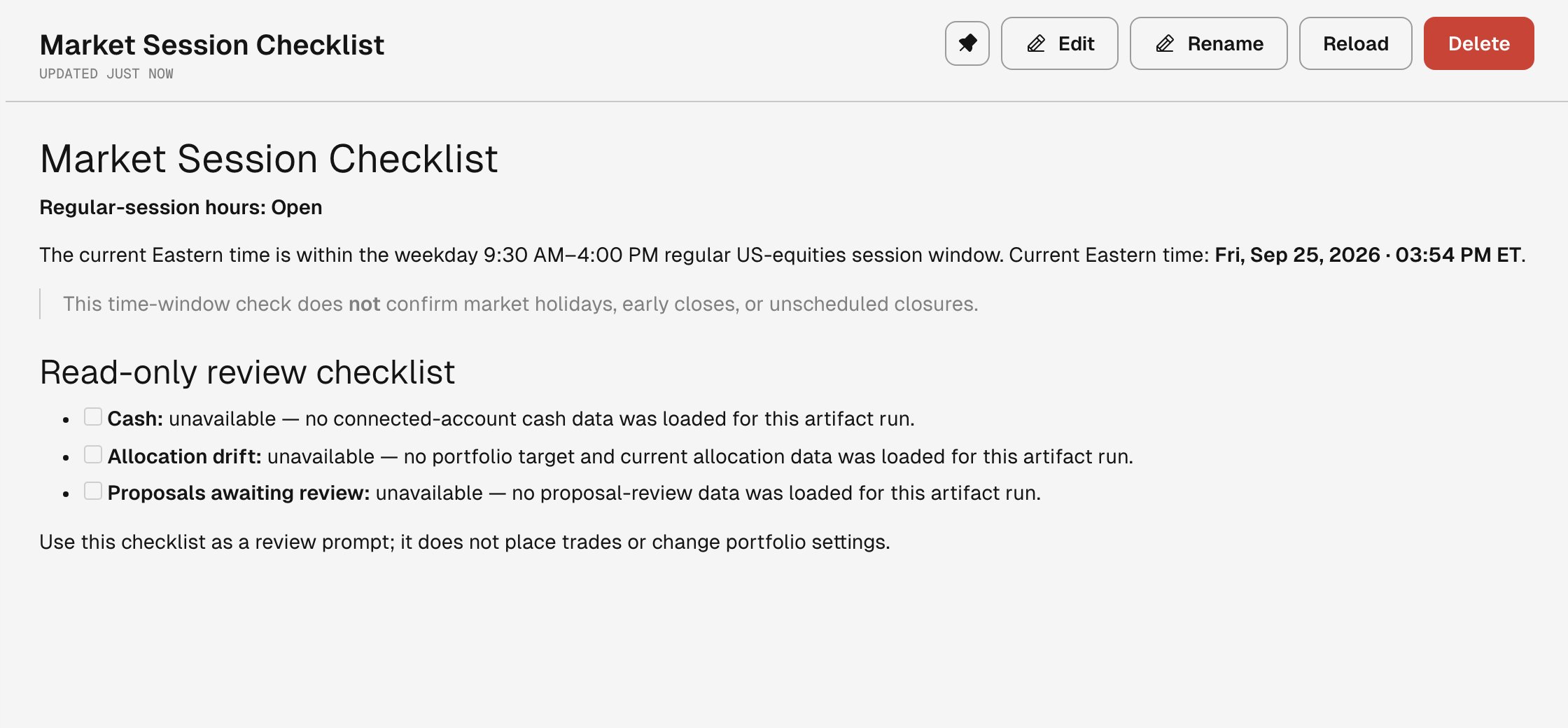
Market Session Checklist Scripted Artifact showing the regular US-equities session window and read-only checks for cash, allocation drift, and proposals awaiting review

The saved artifact reports the current market window and labels unavailable portfolio data.

The example has no connected portfolio data, so it labels each unavailable input instead of inventing a result.

3. Run it again

Select Reload to execute the saved script against current data. Use Edit to ask Tilt Agent to change the artifact, or Rename to change its title. Ask for another Scripted Artifact when the new view has a different purpose. Keep one artifact focused on one recurring question.